

Context Is All You Need
Why creative AI use takes judgment, taste, and a willingness to be inefficient.

One of the ways I unwind and stop thinking about AI is by building LEGO. I don’t generally follow designs or purchase massive sets because it flattens most of the fun for me. I like going to a LEGO store wall, filling a tiny box with as many bricks as I can, and figuring out what to make. It’s time-consuming, with lots of stops and starts, building and rebuilding, infinite tweaks. It’s anything but efficient, and LEGO isn’t a cheap hobby, but it’s one of the more fun and creative ways to build. To me, that matters.
The way I see people using AI is anything but creative, and that’s a problem. I’ve lately been experimenting with using AI to code and am discovering some unique opportunities afforded by the feature, but there are some serious tradeoffs in the process. I wrote last week about the resource constraints that most campuses face when trying to access advanced frontier models like Claude’s Fable or OpenAI’s GPT 5.5. We’ve talked extensively in education about the harms and impact of AI through critical AI literacy and how to use AI responsibly through AI fluency, but it feels like few people have had the opportunity to explore the creative possibilities of using these frontier models to code practical and creative things. Access is one layer, lack of imagination is another. AI is generic when we use it just to complete tasks. It can be used creatively when we bring judgment, taste, constraint, and iteration to the process. That is the human context we need to nurture.
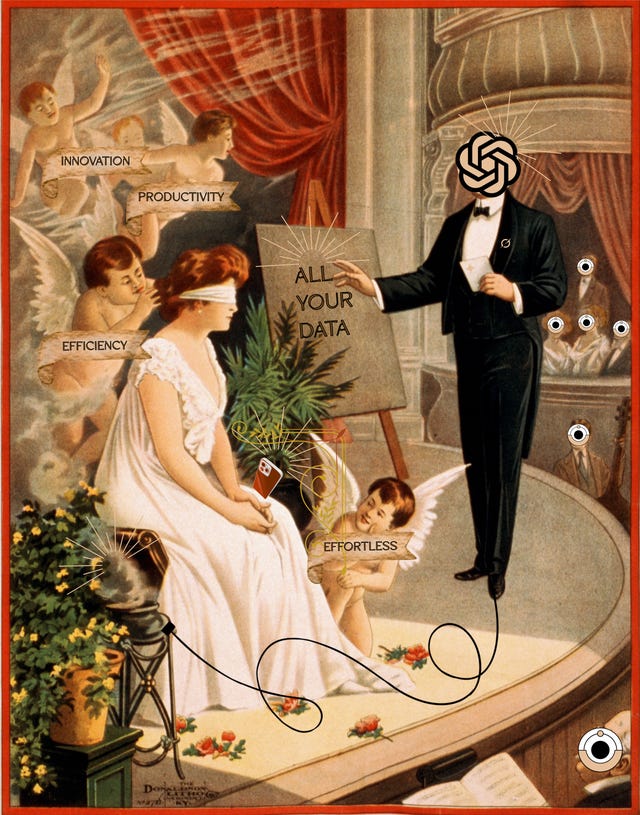
My fear is that AI has become the new PowerPoint, and not in a good way. By that, I mean people are using AI in simplistic ways to save time and not much else. Just as PowerPoint became ubiquitous and usurped the lecture it was supposed to support, many students and faculty are now using AI in ways that are rote and uninteresting, by saving them time completing a task for them. We’ve all zoned out during a boring presentation and likely given our fair share of our own before realizing that it takes creativity and a sense of ownership and direction to use slides well.
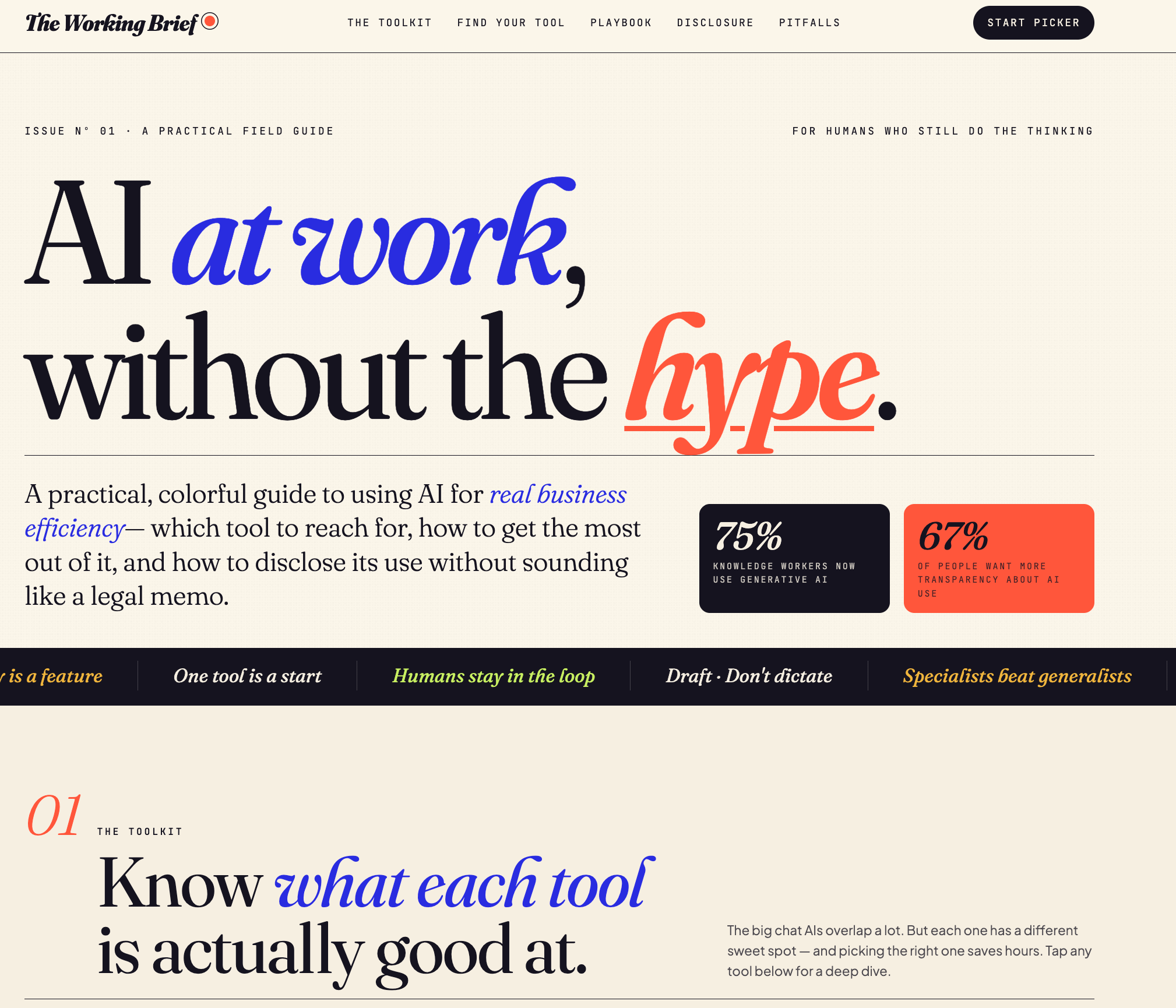
That boring output AI produces is generic by default. Tens of thousands of human beings rate millions of such outputs, and the models learn to favor these data annotations. This is a thin behavioral layer that steers an AI model into generating a writing style full of em dashes, delves, it isn’t x, but y, and other stylistic tics because human beings collectively decided it was pleasant and generally likable and told AI to do it. The same process of Reinforcement Learning from Human Feedback (RLHF) is what makes AI images, videos, and coded artifacts have a boring, generic sameness to them. It isn’t slop so much as PowerPoint on steroids. It doesn’t matter if it is the busy infographic with flowing visuals you generate with Gemini, or Claude Code’s tendency to include italicized words in the title of a website; those tell-tale signs give many folks the digital ick.
Why Context Is Key
But if you are using AI, you can do work past that thin behavioral layer and guide the model in the direction you want through your human context. By that I mean far more than just feeding AI content. I mean you. Your decisions, your judgement, your skills, your intent. Think about AI like clay on a pottery wheel. It’s your job to create it, but the wheel gives you speed to shape the material and is crucial to the process. Without it, you’d be left with an oddly shaped creation. Let AI be the wheel and bring your creativity to it.
This isn’t easy. As I wrote about recently, working with advanced AI tools, especially Claude Code or OpenAI Codex takes time and resources, but I found Ruben Hassid’s Vibecoding tutorial to be immensely helpful in not only setting up Claude Code for me, but also showing me how it can be connected to a database, finding unique styles, and working with AI to code digital artifacts that aren’t boring and become genuinely useful for me.
What it takes to get started:
Access to at least one $20 a month plan, preferably Claude. Having free or similar paid accounts with both OpenAI and Gemini is also helpful.
About an hour or so to set up Claude Code and attach it to some free databases through connectors.
A sense of creativity and purpose.
Remixing Activities With Code
One of the more frustrating aspects of teaching in higher education is how many faculty now teach multiple modalities at once. During a given semester, it’s common for an instructor to be assigned a mixed load of in-person, online, and even hybrid courses. If you’re lucky, you might have mastered one type of activity or assignment for the in-person courses, but trying to adapt that for online is clumsy because you and your students are locked behind an LMS for asynchronous learning.
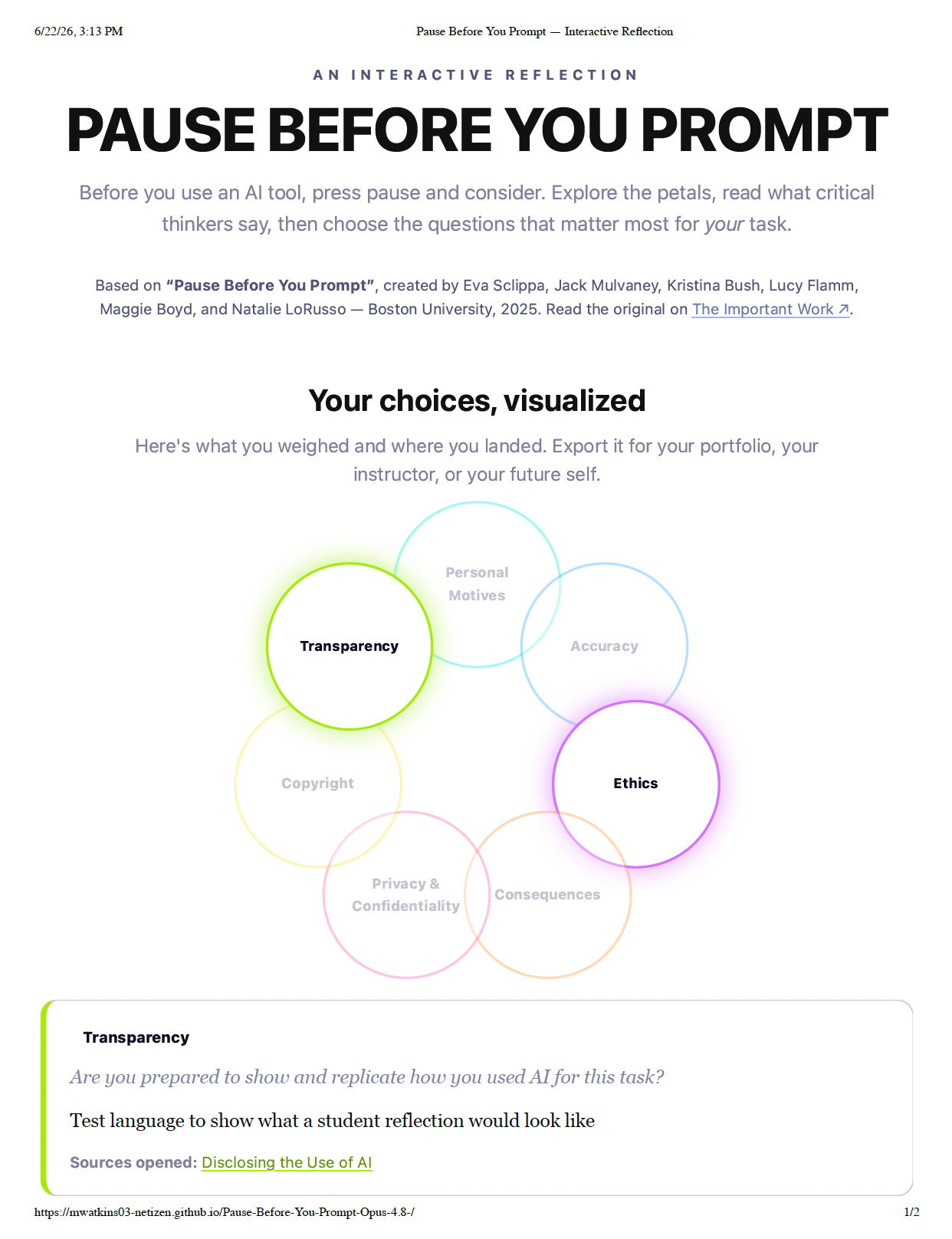
I’ve used the Pause Before You Prompt activity with my students to help them think and reflect about motivations before turning to AI for my in-person classes, but I never had success adapting it to a fully online course. Claude Code changed that for me. The context needed to remix an activity for a new modality isn’t just words. Frontier models contain visual sensors that can “see” images, even entire webpages. I also needed to consider how I would see and grade this, so here’s what I did.
Decided how I wanted the activity to look. I used Gemini and design styles from Dribble to create a digital image of the activity petal.
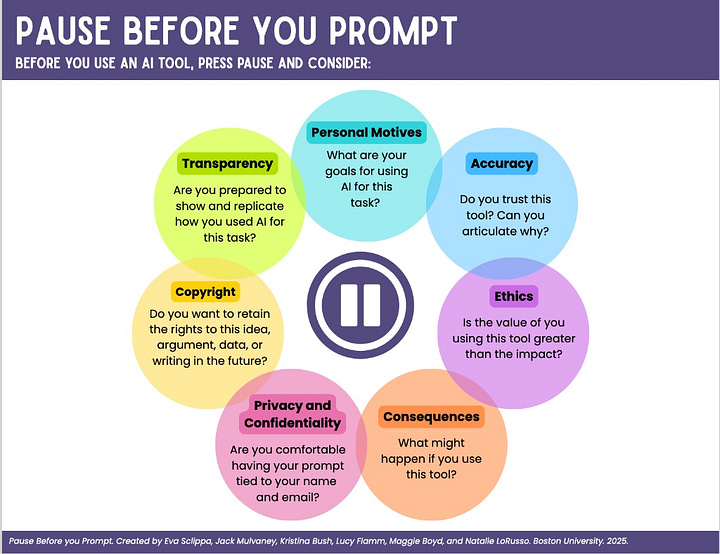
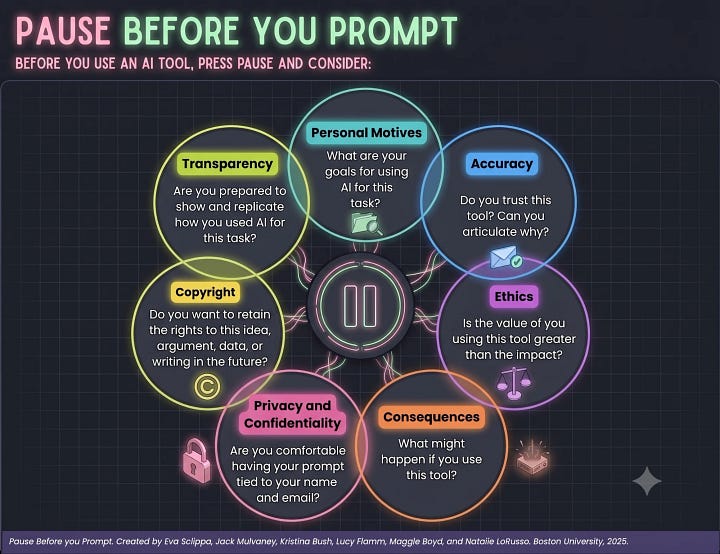
Original image on left from Pause Before You Prompt, with stylized image on right Once I was satisfied with the look, I then had to think about how this would function for my students. I wanted them to ground their choices by including critical articles within each petal. I also needed to give them space to reflect on their choices, so I included instructions to create metacognitive activities. Finally, I wanted to give them the option of exporting a visual output of their response so that I could see and grade their choices and even track what sources they clicked on and read. Based on my prompt, Claude created the following HTML webpage for me that includes those interactive elements.


The site Claude Code created:

The visual report after a student finishes their reflection (what I see when I grade the project):
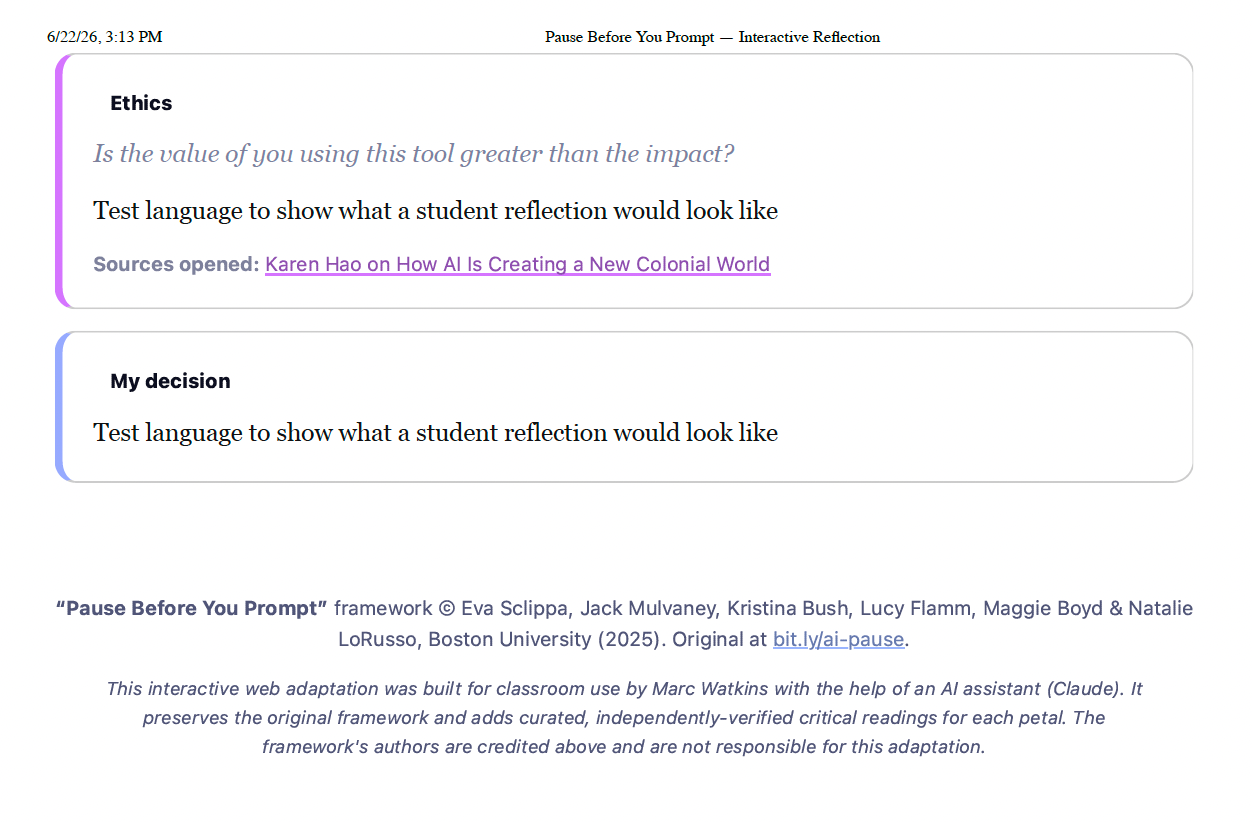
Importantly, this is a prototype, not a finished product. It needs to go through several rounds of accessibility checks and give consideration to the audience first. What’s nice is that while AI was used in the construction of the activity, there’s no AI actively deployed within it. All the data is stored locally on the student’s browser until they’re ready to download their submission as a PDF or HTML file.
Once I had the process down, I started to explore what else I could remix using Claude Code and bind student interaction within the activity to reflective components that they can export. I’ve loved using John Ippolito’s What Uses More to help my students understand the environmental impact their AI use has and how they can think more deeply about their own energy footprint beyond AI. Ippolito’s What Uses More acted as part of the inspiration and a piece of the context for the following activity.
With The Power of A Prompt, I wanted to do some of the following, but I also made the mistake of letting AI do too much of the prompting, and it shows in the final design:
Create a retro-themed neon site using dusty pink and glowing green against a dark background as a style.
Allow students to drag illustrated digital tasks to compare their real-world energy cost. This meant designing specific icons for each type of energy use.
Have students take a “which uses more?” quiz
View the data-center footprint behind AI.
Build a day of digital life activity by adding up all their electricity use.
Reflect in writing, and export a personal report.

The end result isn’t terrible, but it reflects some key problems with letting AI take too much control. For one, there are simply too many activities embedded on a single site page. The AI also didn’t do an effective job of walking students through why each activity was scaffolded upon the others. In effect, I let Claude Code do too much of the driving for this example. Remember, you are the key context for any interaction with AI, so when I started delegating design choices so deeply to Claude, it produced a pastiche of what it guessed I wanted.
Making the Static Interactive
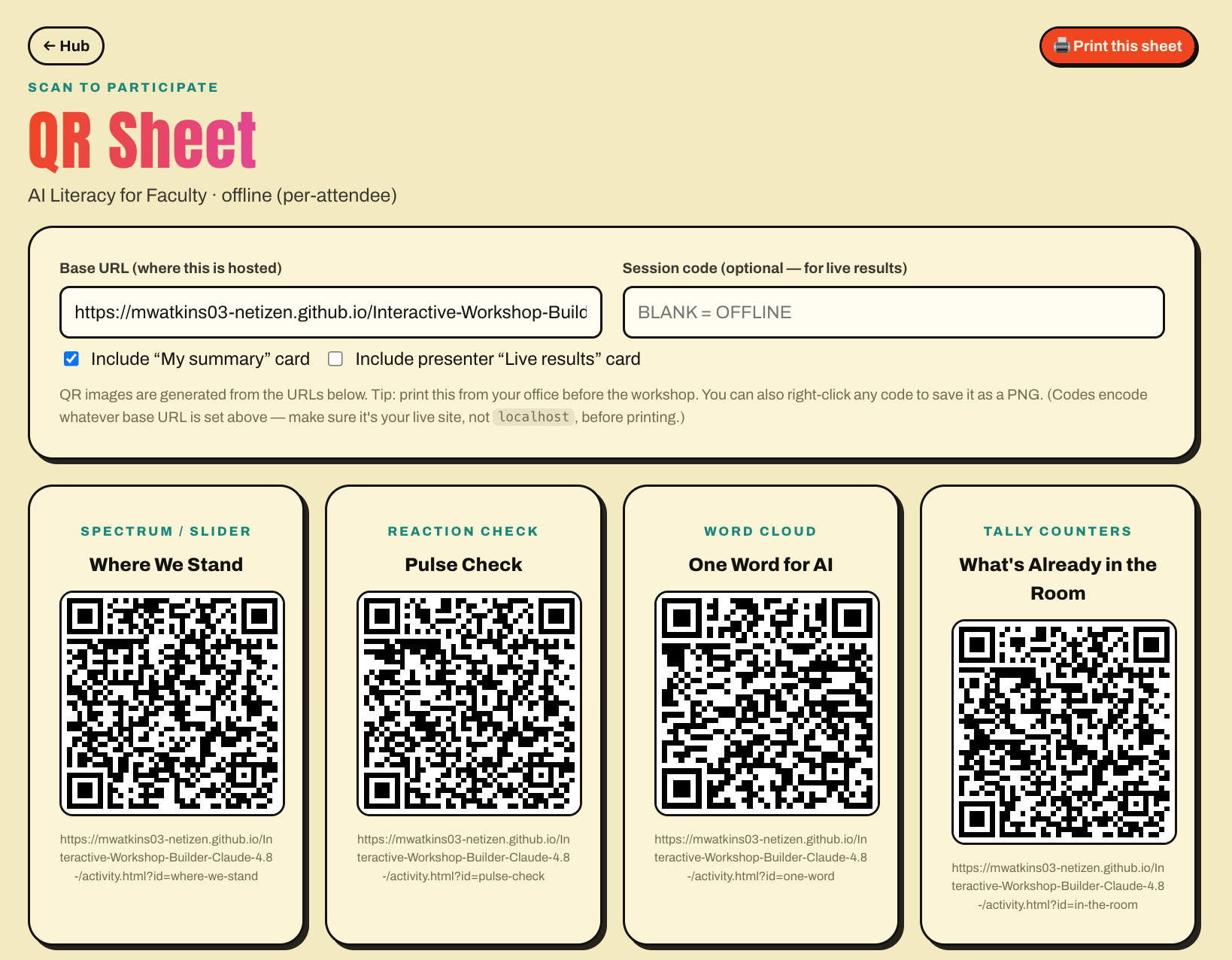
I’m a fan of using polls and surveys with my students. Yet, I often find the software many vendors sell to be really expensive, not easy to use, and lacking customizable features. Out of frustration, I tasked Claude Code to build me a poor-man’s version of the popular Poll Everywhere software many instructors and speakers use with live in-person and online audiences. What the AI created was a flexible system I can either self-host or attach to a database to collect responses in real time. More so, I prompted it to make sure each one of the templates it created was fully editable and customizable. My goal is to be able to embed these in slides for future talks to gain instant feedback.
The customizable interactive Workshop Builder Tool
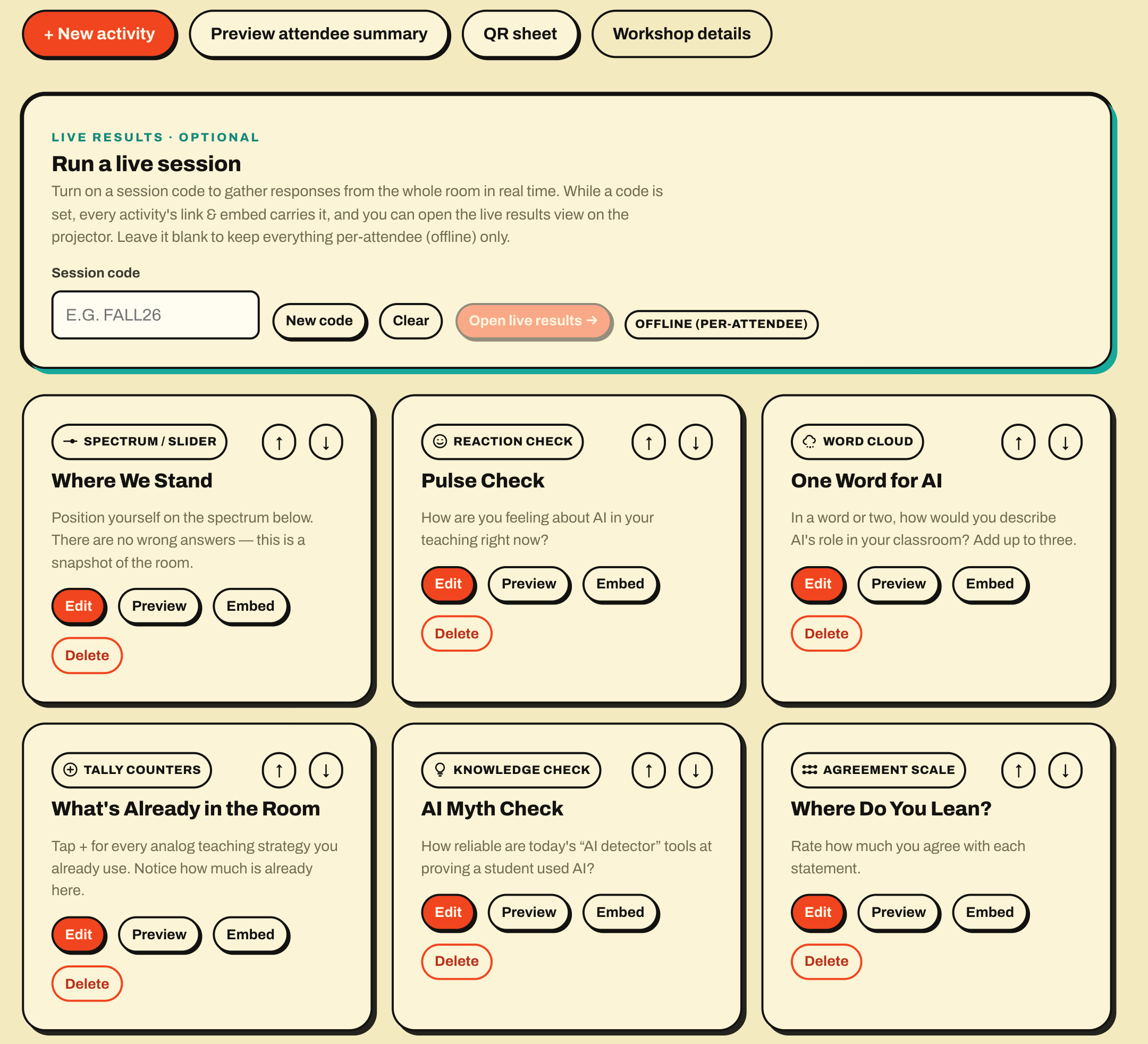
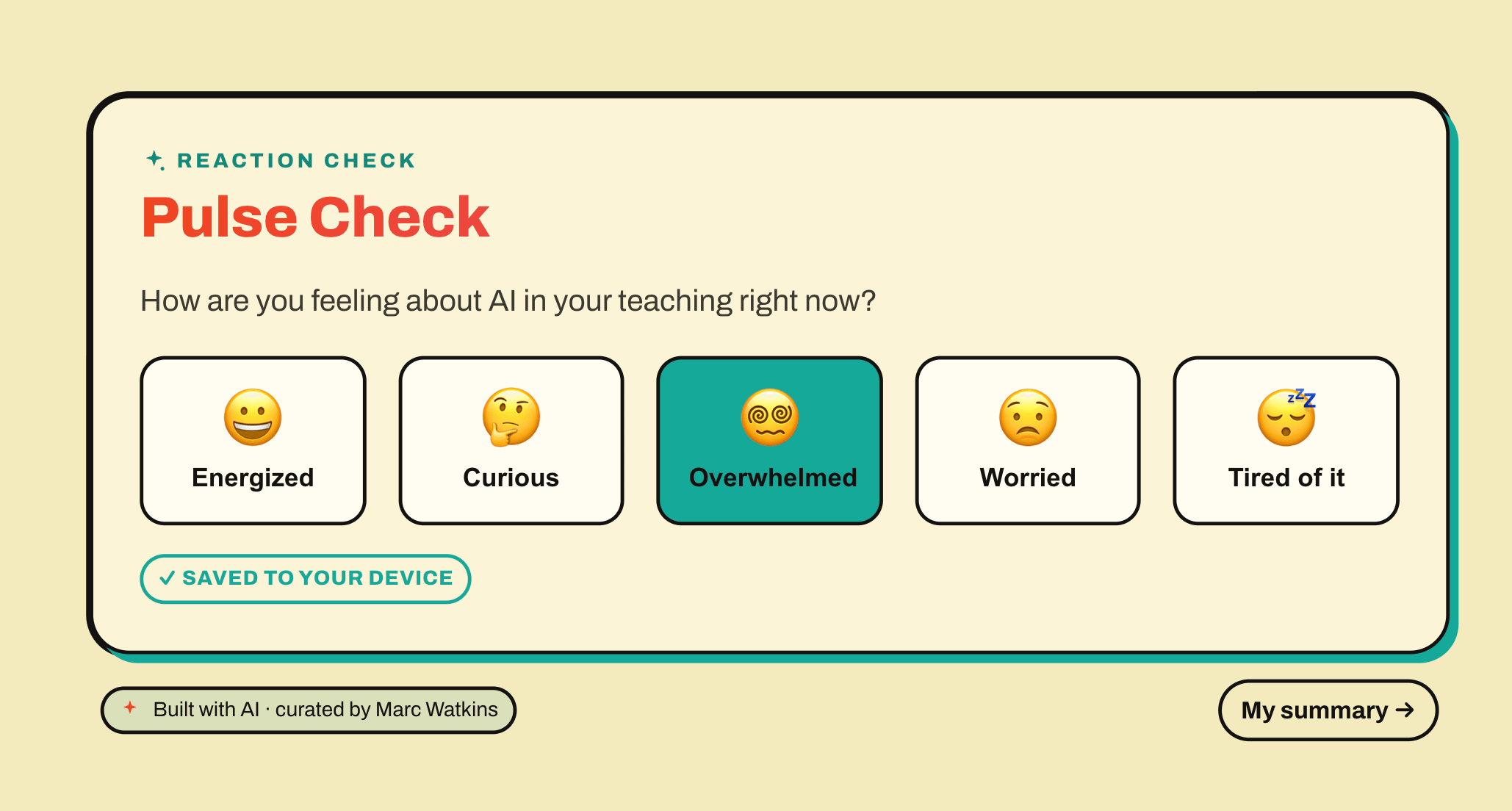
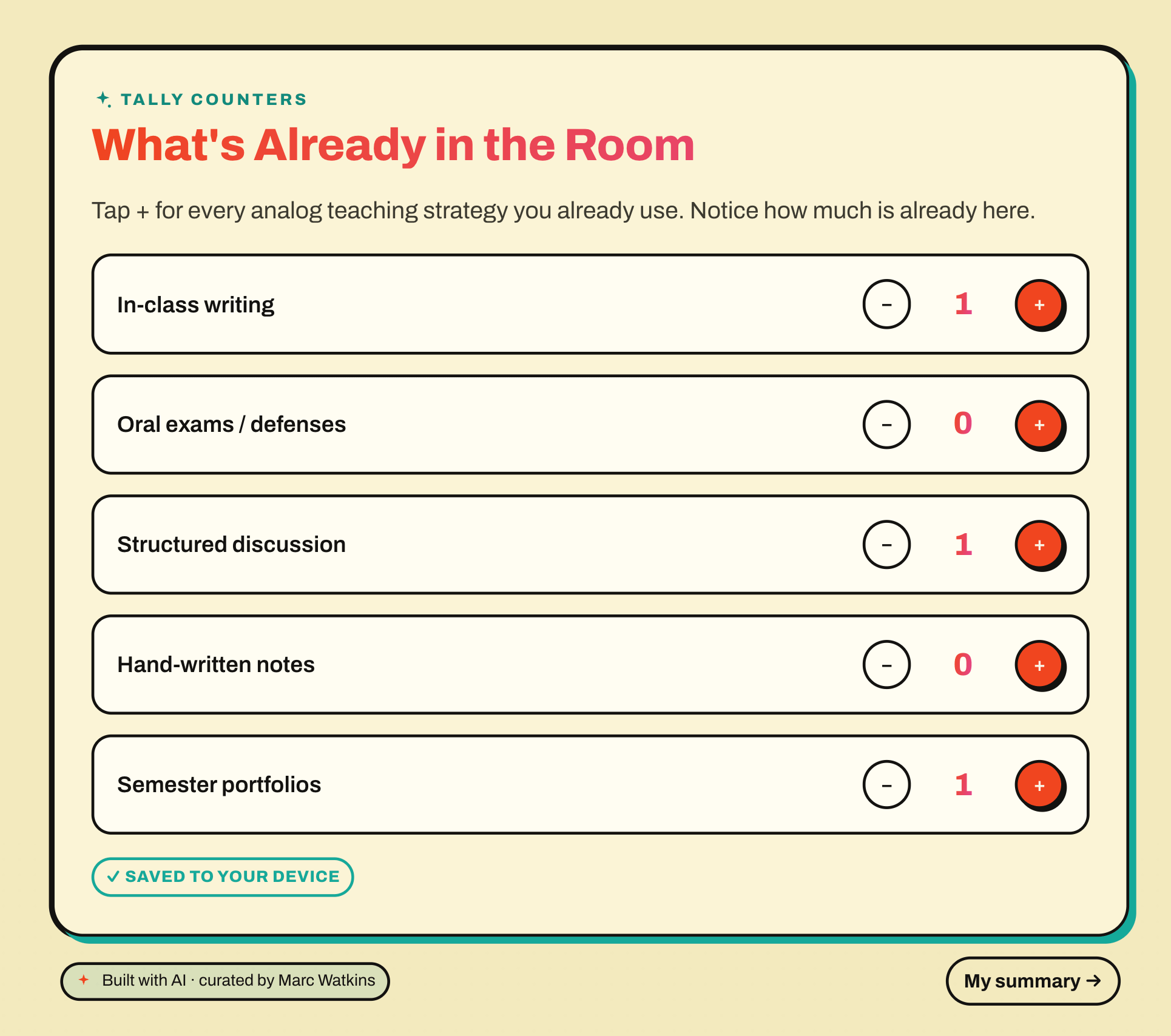
What makes this so useful to me is all the things I forget I can build and add after the fact. For instance, the original design meant I’d need to go to a QR generator to create QR codes to share with an audience. That was a simple fix for an AI coding tool to address!
AI coding feels less novel and far more practical. When I showed Derek Bruff what Claude could do, he used it to rebuild the landing page of his website!
Creating Galleries and Feedback Forms
I find comparing the output over similar tools can help me understand what each does well and where one might fall short. You can create a gallery of vibecoded experiments with ease. I previously used Fable to create a Reading Tracker for my students. I took that prompt and tested how AI would code a similar Reading Synthesis matrix using OpenAI Codex GPT 5.5 , Gemini 3.1, and Claude 5.

But what use is a gallery without a feedback system where users can tell me which design or model they prefer? I was able to generate a simple feedback system directly within the web app via Claude Code, so you can gather valuable information about preferences, but you can likewise think about including such a system more broadly as part of any assignment. Simply map out what you’d like your audience to answer and attach it:
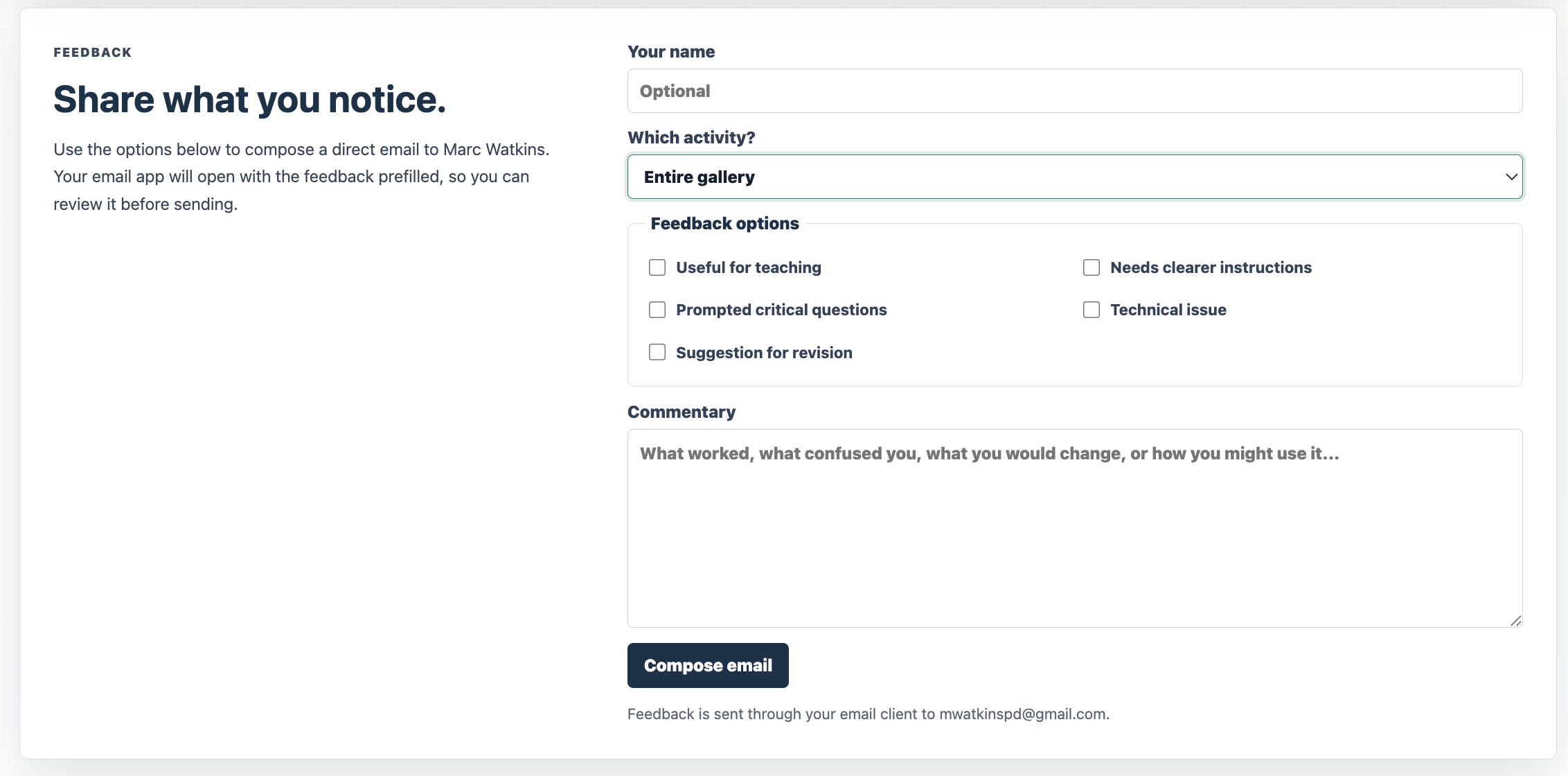
The thing is, the design of that webpage gallery is really simplistic and isn’t all that engaging. Claude Code does a decent job of making something functional, but like the other experiments, you really have to work to create something more thoughtful. Again, you are the context here. Here’s the process I used for Claude Code to create a gallery using many of these experiments discussed within this post.
1). Stylized It
I first found a design I liked on Dribble, then used Gemini to work through the style I wanted by creating some icons around it using the prompt: “Create a set of icons using this style and pattern about data centers, design tools, privacy, AI, prompting, human agency, etc.”
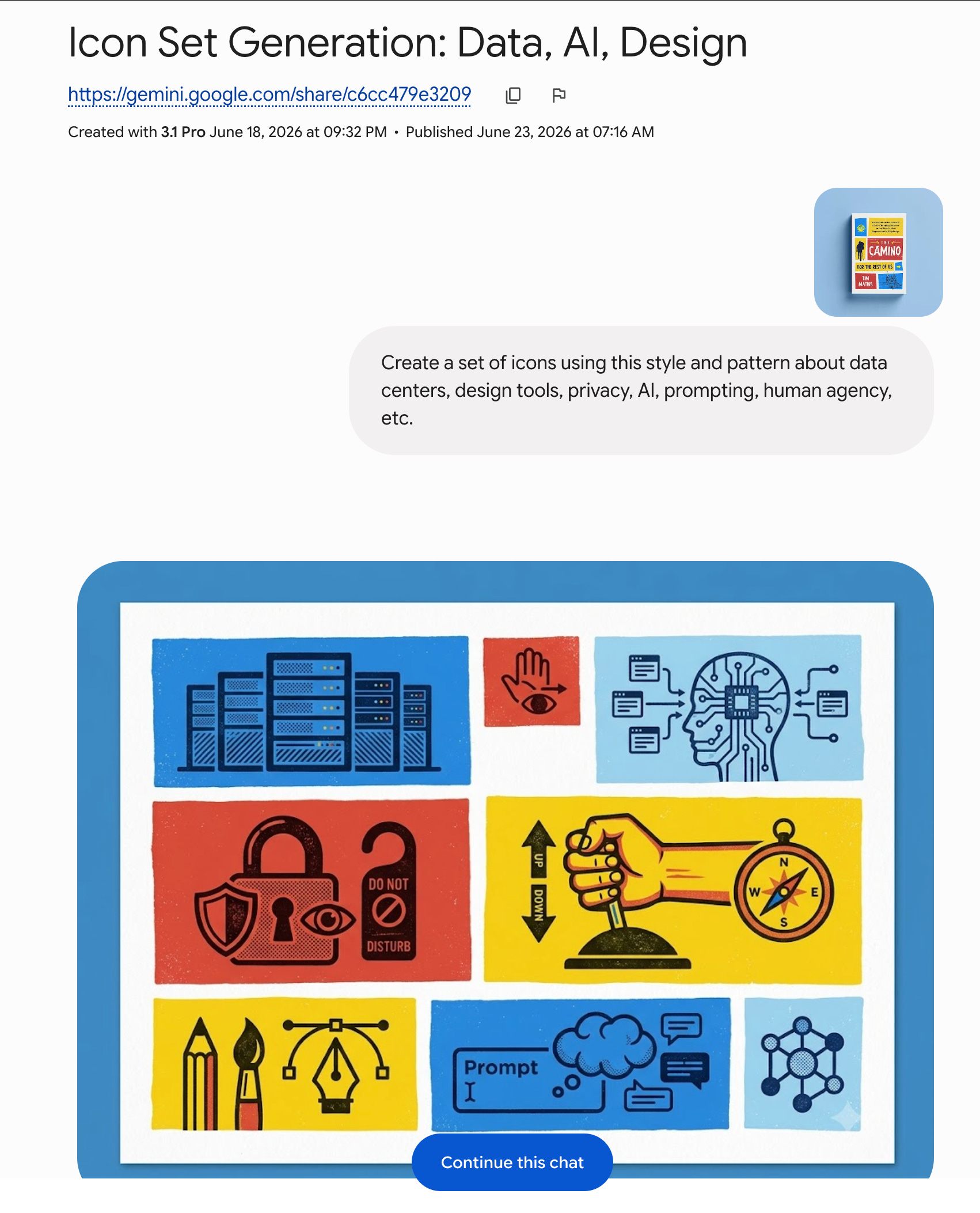
2) Mapped Out How It Would Function
I then used ChatGPT to map out how I wanted the gallery to function. Again, I wanted something more unique than the default output Claude Code would produce, so I had to use my imagination and language to articulate what I wanted and the content provided by the design that I stylized. Here’s what ChatGPT produced:
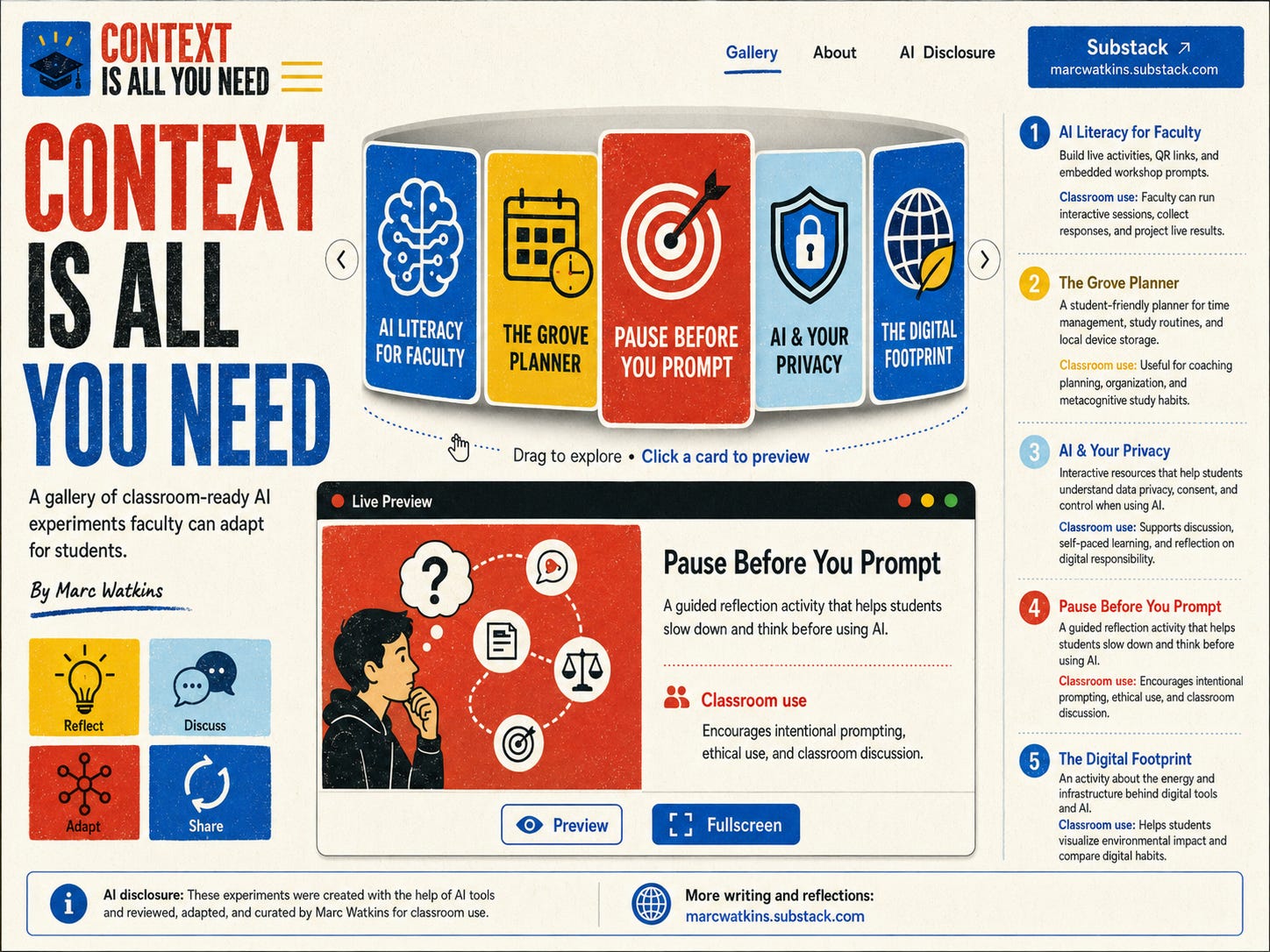
3). Create Unique Icons for the Site
Think about this as layers in a cake. Stylizing the site is one layer. Functionality is another. Each layer adds depth to the design and creates distance from the generic output into a more intentional design. The final layer was creating unique icons and placeholder images for the site preview windows and activity cards.
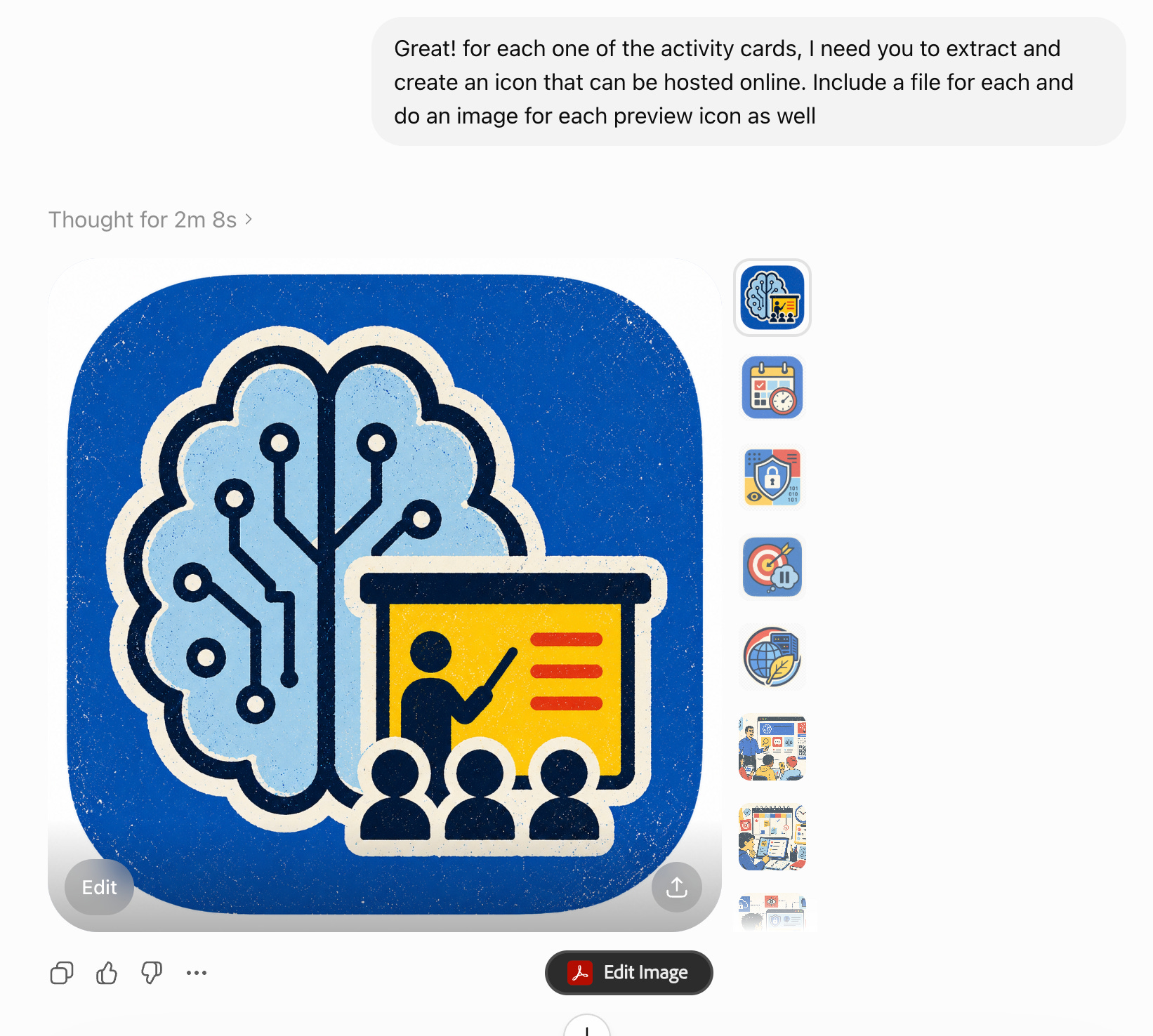
4) Built The Site
I uploaded all the files from steps 1-3, including my prompts, into Claude Code and had it build a webpage for me. Nearly a 1000 words from me, over a dozen image and style files, and half a dozen links acted as the foundation that created the site . What is really impressive is how Claude used its vision capability to design the site functions from the image file ChatGPT generated. What I’m left with is a working gallery of the prototypes that I built. You can access it below, toggle the wheel, and click the preview buttons to view many of the experiments:

Your Thinking Is The Context
The vibecoded sites and activities are all experiments that show you what coding with AI can potentially create from a teaching POV, but let’s not confuse content with context. If you aren’t creative, intentional, or thoughtful in your use of AI, it will become the equivalent of a generic PowerPoint presentation. For many, that’s fine. For me, that’s not worth the time or energy needed to learn a new tool just for it to be used in a rote way to complete tasks, and I think many students will likely feel the same.
The lack of discussion about creativity and its role in the AI discourse is really unfortunate. Being creative isn’t necessary to learn how to use a tool. Nor is it required to analyze the critical nature of its impact on society. And yet, we know what the world looks like when we confuse a tool and its output as a stand-in for thinking. Today, that’s AI. Years before it was a sloppy presentation.
It’s clear to me that for students to develop the context knowledge necessary to use AI creatively, they will need to have two things that many think are opposing forces:
to preserve as much of the thinking and decision-making that goes into that process of creation. That’s likely true for the rest of us as well. For writing classes, that means the rough draft becomes all the more valuable than a final, polished essay. The same goes for process-based work in many STEM courses.
The second is access to advanced frontier models that allow them the opportunity to creatively explore their context and where it leads them, using new modalities, like AI coding.
Instead of being in opposition to one another, preserving learning and human judgment must coincide with efforts to ensure students and faculty get equitable access to the capacity offered by advanced frontier models. After all, there is no context, no you, working with an AI tool without getting intentional. With that, I’ll leave you with three questions I’m pondering.
How can we work to preserve thinking and creativity so that it isn’t outsourced to AI for our students and ourselves?
What resources will we need to allow students to access advanced frontier models to explore creative applications of AI?
How do we move beyond framing AI as a task completion machine to create the space and time needed to have critical, responsible, and creative frameworks on our campuses?
I’d like to invite you to join me and my coauthors, Annette Vee and Derek Bruff , for the The Norton Guide to AI-Aware Teaching: Perusall Engage Book Event, where we will discuss how teachers can respond to AI and read our forthcoming book together.
Preorder The Norton Guide to AI-Aware Teaching
Thanks to the wonderful team at Norton, The Norton Guide to AI-Aware Teaching is now available to pre-order! My coauthor, Derek Bruff, wrote the following in his newsletter. The ebook is expected to be available on July 1st, and print copies are expected to start shipping on September 24th. Here’s how you can get a copy:
Our publisher Norton is pleased to offer the guide as a free ebook for all instructors currently using a Norton textbook. If that’s you, you’ll receive access from the Norton team when the ebook is available July 1st and can contact your local Norton representative with any questions.
If you would like to pre-order the ebook so that you have it July 1st, you can now do so through Amazon and Barnes & Noble and perhaps other retailers.
If you would like to pre-order the paperback version of the book, you can now do so through Norton, Amazon, Barnes & Noble, and likely other retailers. If you go through Norton, be sure to use the code AIFREESHIP at check out to get free shipping!
If you would like to order multiple copies for a campus reading group or some other faculty development effort, Norton has an option for you: On orders of 10 or more print copies, we offer 50% off the list price and free domestic shipping. (Such orders must be on a nonreturnable basis.) To take advantage of this offer, contact Peter Wentz at pwentz@wwnorton.com with subject line “Norton Guide to AI-Aware Teaching.”
This is helpful for a couple of reasons, even though I will never do what you’ve done here: it gives us evidence for IT departments and admin about what it would truly take for faculty and staff to work with GenAI well, and it demonstrates the very long and involved process thoughtful use entails.
I’m jealous! But now more than ever convinced I don’t have the time or resources to use this tech for teaching. Use cases are specific, will change as the tech changes, and require a lot of experimentation that a lot of faculty just don’t have time for.
I also wonder what students will think. In a class where you teach students to use the tech it would be fine, but what about cases where an instructor does not want students to use GenAI, or for them to use it sparingly?
right on spot...